Note: these reports only include learners completion and time spent stats for the on demand courses and workshop resources in the platform; they do not include any learner attendance and registration data for workshops.
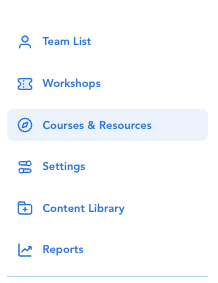
(1) Click 'Courses & Resources' from the left side navigation.
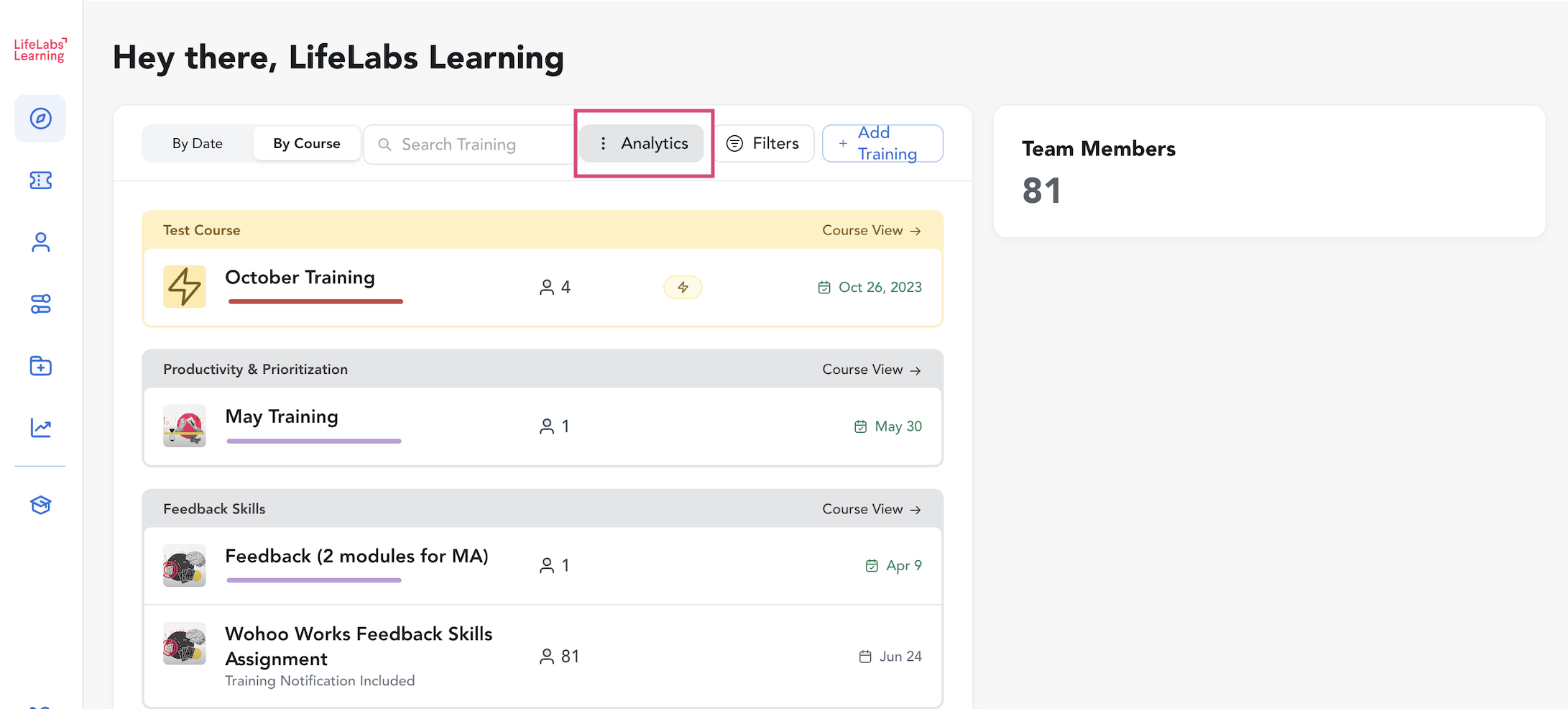
(2) Click the 'Analytics' button near the top center of the page.
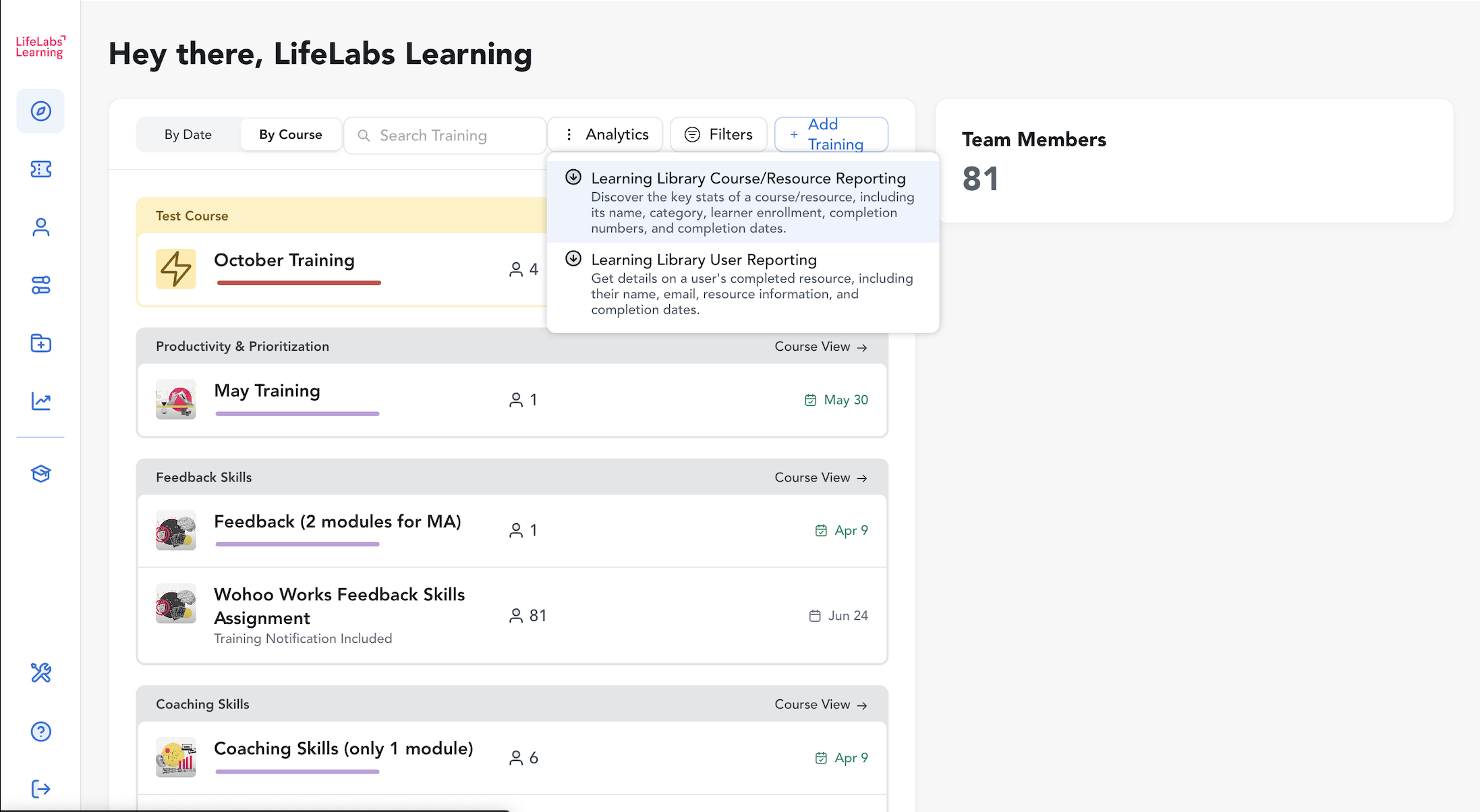
(3) Select a report from the dropdown menu to prompt a .csv download.
You can also click on a specific training to see which learners have completed, still have time to complete, and who have not completed the assigned courses or resources within the deadline set for the activity.
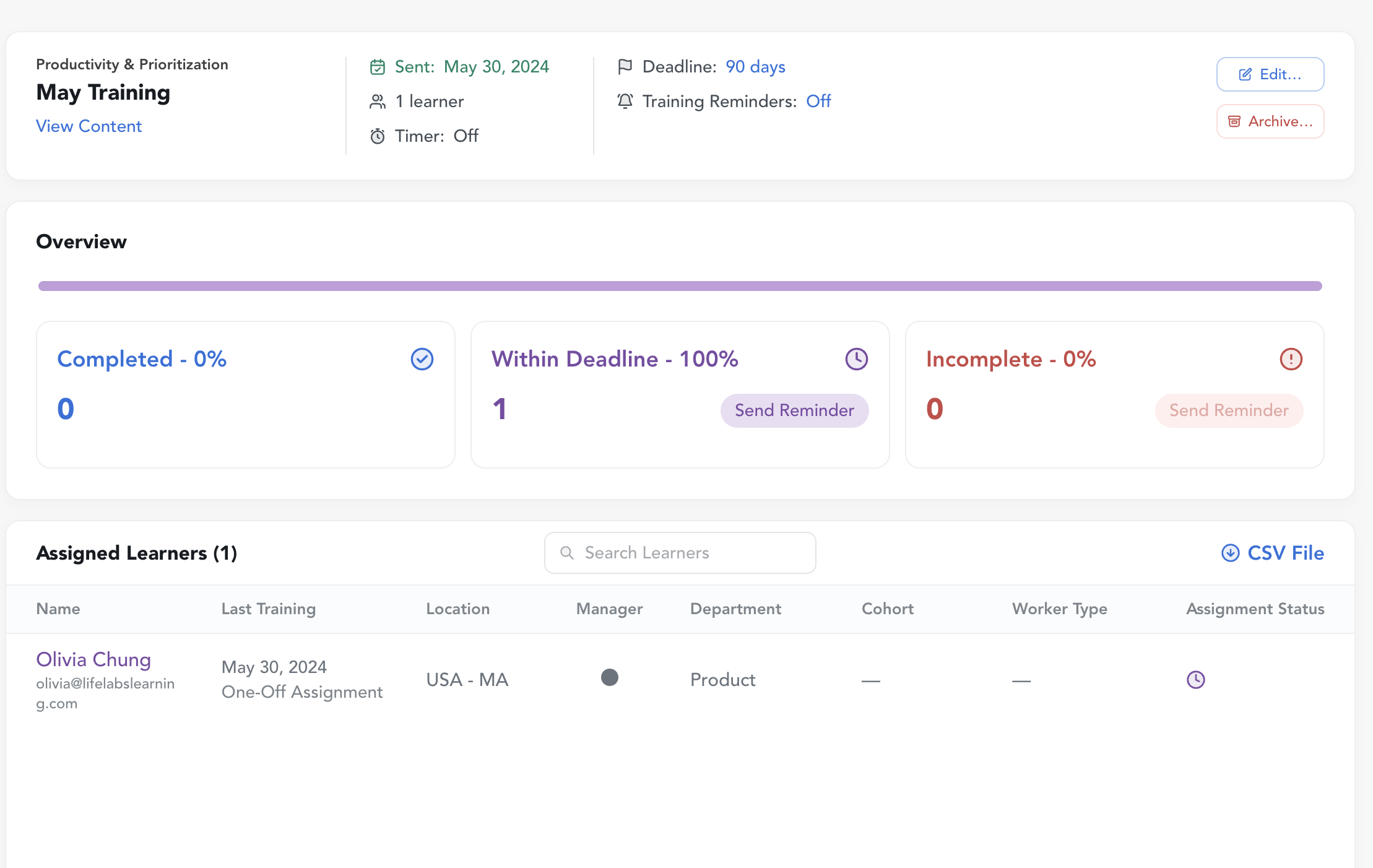
Learning Library User Reporting example report out:
