Admin seats included in your current plan
For every LifeLabs Learning account, there is an included number of admin seats based on the total number of learners in the account. If you'd like to purchase additional admin seats beyond the number included, reach out to your Impact Consultant (account manager).
|
Learners
|
Included Admins
|
|
1-9
|
1
|
|
10-50
|
2
|
|
51-150
|
3
|
|
151-250
|
4
|
|
251-350
|
5
|
|
351+
|
Talk to your Consultant
|
Note: There is $500 fee for a recurring admin license beyond a threshold.
Add another Admin user
Click "Settings" in the left side panel.
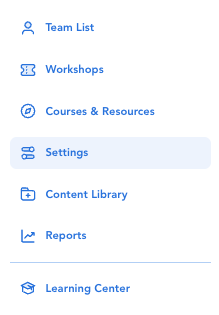
Click "Administrators"
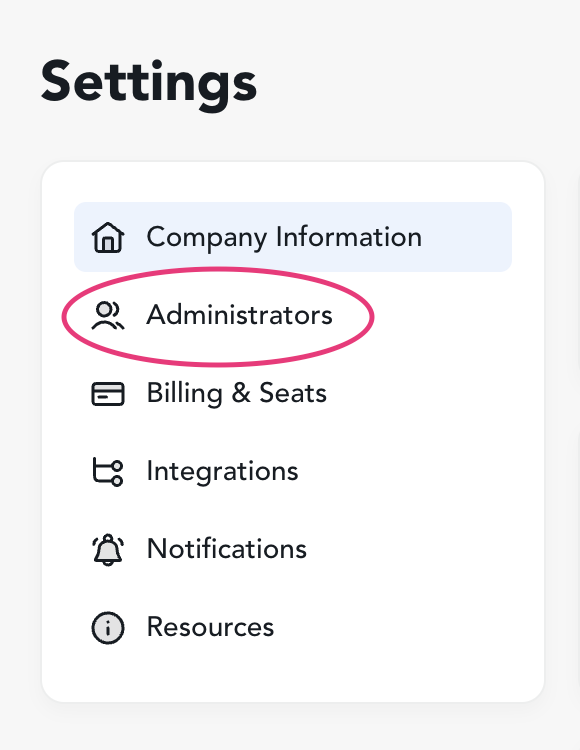
Click "Add Admin"

Select a member from your team list to be an additional admin at the "Account Admin" level and click "Create Admin"*

*Note: To do this yourself, your secondary admin must be added to your team list prior to adding them as an admin. If you don't want your admin to be listed as a learner, reach out to support@lifelabslearning.com and provide us with the full name and email address of your additional admin(s).
Remove an Admin [and maintain their access as a learner]
Follow these steps to remove a user's access to the Admin Hub, while maintaining their access to the Learning Center. This can only be done for users who are listed in the Team List (i.e., active learners) and the list of Administrators on your account.
Click "Settings" in the left side panel
Click "Administrators"
Select the user you'd like to remove from the Admin list and then click 'Delete' in the bottom left of the pop-up
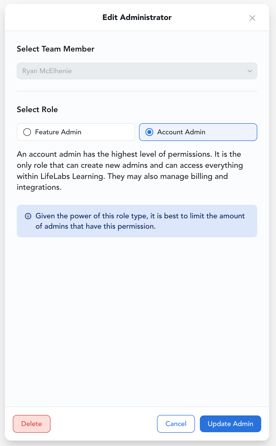
Click 'Delete' in the next pop-up
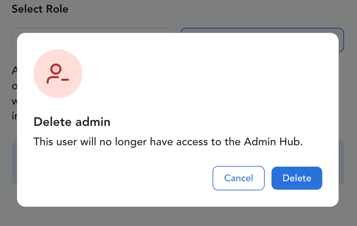
All set! This user will no longer have access to the Admin Hub.
Remove an Admin from the Team list
Follow these steps to remove a user's access to the Admin Hub, and remove their access to the Learning Center.
If a user is included in the list of Administrators on your account, but they are not included on the Team List (i.e., they are not an active learner, only an admin user), then follow to the steps to Remove an Admin.
First, edit the learner's profile in the Team list: Delete or Terminate
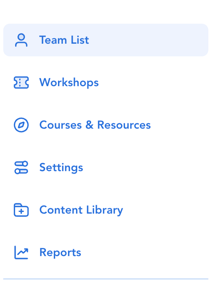
After you've updated the learner to the correct user status, then proceed to remove the user from the Administrators list.
All set! This user will no longer be able to access the Admin Hub or Learning Center of the LifeLabs Learning Platform.