Your learners receive several automated emails from the platform. Some of these can be disabled based on your Notifications settings.
Here's a list of all the notifications your learners receive. Notifications that can't be disabled via your account settings are indicated in the 'Notification triggers' column.
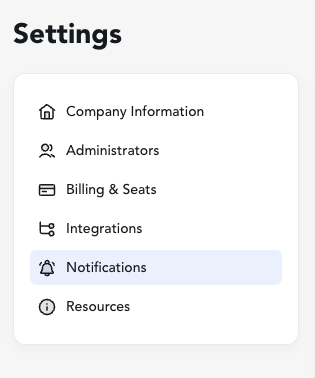
After logging into your Admin account, access Settings via the navigation bar on the left side of your screen. Then navigate to Notifications.
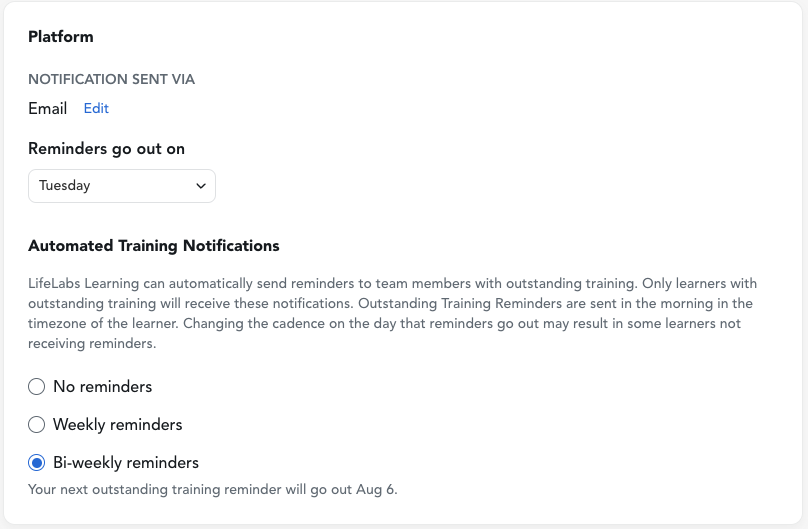
Within the Platform section, you can edit how your learners receive notifications, when reminders are delivered, and how often we remind your team of any outstanding training to-dos (if applicable).
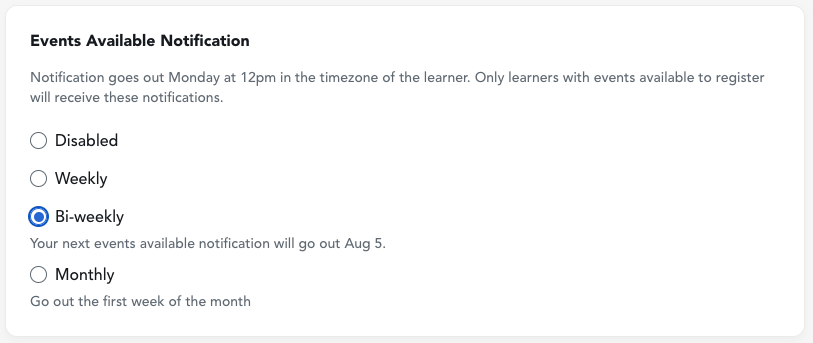
Under Events Available Notification, you can choose if and when you'd like for your team to receive notifications about new session opportunities. Help your learners be the first to know about updated learning experiences and secure their seats! Or, let them browse at their own pace - it's up to you!
Managing Welcome, Pre-Workshop, and Post-Workshop Emails
In addition to managing event availability, Admins can control specific automated platform emails for their entire organization. Note: If you have asked us to fully suppress notifications for your tenant, that overrides these tenant-specific settings.
Within the Notifications tab, you will find toggles for:
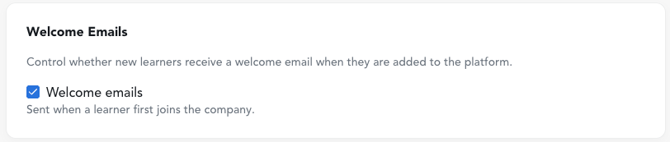
Welcome Email: Enabled by default. You can toggle this off if you prefer your learners not to receive the automated platform welcome email.
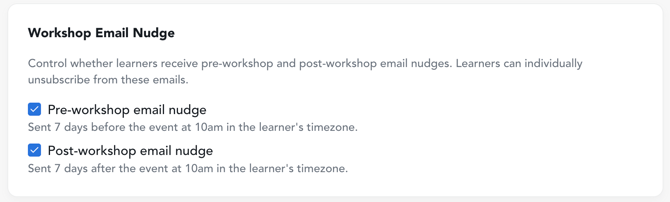
Workshop Email Nudge Enabled by default. Pre-workshop emails are designed to help learners prepare, while post-workshop emails reinforce key takeaways. You can toggle these on or off for your entire tenant. Note: Even if these emails are enabled at the tenant level, individual learners can independently choose to opt out of them. Learner preferences will always override the tenant-wide setting.
Need to update contact information for your team? See how here: edit learner contact information.
Want to see what notifications your learners have recently received from the platform?
-
Go to your team list.
- Hover over the name of a specific learner and click their name
- A user details pane opens on the right side of the screen. You can view their Last Notification there and click "View all notifications" to see all completed and upcoming notifications planned for the learner.